
AI Open Source Project for Shared Team Memory: Streamient

If your team uses Claude for research, Cursor for code, and ChatGPT for writing, each tool can end up working from a different version of the same project. One assistant knows the decision made last week; another sees only the current prompt. An open source AI project aimed at this problem needs to do more than save chat history. It needs to make useful context available across tools while letting the team inspect and correct it.
Streamient is an open-source shared memory layer for teams using AI tools. It brings notes, URLs, emails, Git work, decisions, and project context into an editable knowledge library. Claude, Cursor, ChatGPT, Windsurf, Zed, and other MCP-compatible clients can read from and write to that library. It is an AI infrastructure project, not an open-source language model.
That distinction matters if you are comparing projects. Streamient does not replace the model your team uses. Its job is to help those tools work with shared, team-owned context instead of making each person repeatedly paste background into a new conversation.
What problem does this project solve?
Personal assistant memory is useful when one person returns to one tool. Team work is less tidy. A customer requirement may arrive by email, become a product decision in a meeting, and later affect a pull request. If the reasoning stays scattered across those places, an AI coding assistant may see the code but miss the reason it was written that way.
Streamient is built around those real work objects. A team can keep a decision alongside relevant notes, research, and Git context in a library people can search and edit. MCP-compatible tools can then use that shared library as context. The point is not to make every stored item appear in every prompt; it is to make the right information available when a task calls for it.
For example, suppose an engineer asks an assistant to change an API endpoint. The current code tells the assistant what exists. The team's recorded decision can explain why the endpoint behaves that way, while a support email may show what customers expect. Keeping that context accessible across tools gives the engineer a better starting point for reviewing the proposed change. The related article on institutional memory for code review examines this problem in more detail.
Why a shared memory layer instead of another AI model?
An open-source model and a shared memory layer answer different questions:
| If you need... | Look for... |
|---|---|
| A model you can run or adapt | An open-source AI model project |
| A way to connect assistants to company context | A shared memory or knowledge project |
| Continuity across several AI clients | A tool-independent context layer |
| A record teammates can inspect and correct | An editable, team-owned library |
You may need both a model and a memory layer, but one does not stand in for the other. A capable model can still give an answer based on stale information if it cannot find the latest team decision. A large context window does not, on its own, maintain a reliable record between sessions. For a closer look at that distinction, see durable memory for local LLM agents.
Streamient's role is also narrower than a general-purpose company wiki. The library is meant to be useful to people and to the AI clients involved in their work. Team members need to be able to find and revise a record; connected clients need to be able to read and write relevant context. That makes the quality of the stored knowledge important. An outdated decision should be corrected, not treated as permanent truth because an assistant once saved it.
Where Streamient fits in a team's workflow
Consider a product team preparing a release. A researcher collects URLs and notes about a customer problem. A product manager records the decision and its rationale. An engineer works in Git, while support receives emails that clarify the customer's experience. Those pieces are related, but they rarely live in one assistant's conversation.
A shared library gives the team a place to maintain that context across tasks. When someone opens a different MCP-compatible client, they do not have to rely solely on what was said in an earlier chat. They can work from knowledge the team owns and can inspect. Streamient's search and organization features matter here because captured material is useful only if people can find and maintain it.
This does not mean an AI answer becomes correct merely because it came from a shared library. Teams still need to check whether a retrieved item is relevant, current, and authoritative for the task. A useful test is to ask what happens when a decision changes: can a teammate find the old record, update it, and recognize which answer should now be treated as current? If not, adding more memories may make the problem worse.
Is Streamient open source? What about Kumbukum?
Streamient’s source code is public under AGPLv3. You can inspect the source repository and license, and run the memory layer on infrastructure you control. The open-source overview explains the self-hosted and managed Cloud options.
Use the self-hosting documentation to evaluate installation, configuration, upgrades, and operations for the version you plan to run. Self-hosting means your team manages infrastructure, updates, and backups. Check the license and any component-specific terms as part of that review.
Streamient was formerly called Kumbukum, as the founder’s account of the project explains. Earlier posts such as Introducing Kumbukum reflect that history. Use the current Streamient repository, documentation, and pricing pages when evaluating the product today.
How to evaluate it for your team
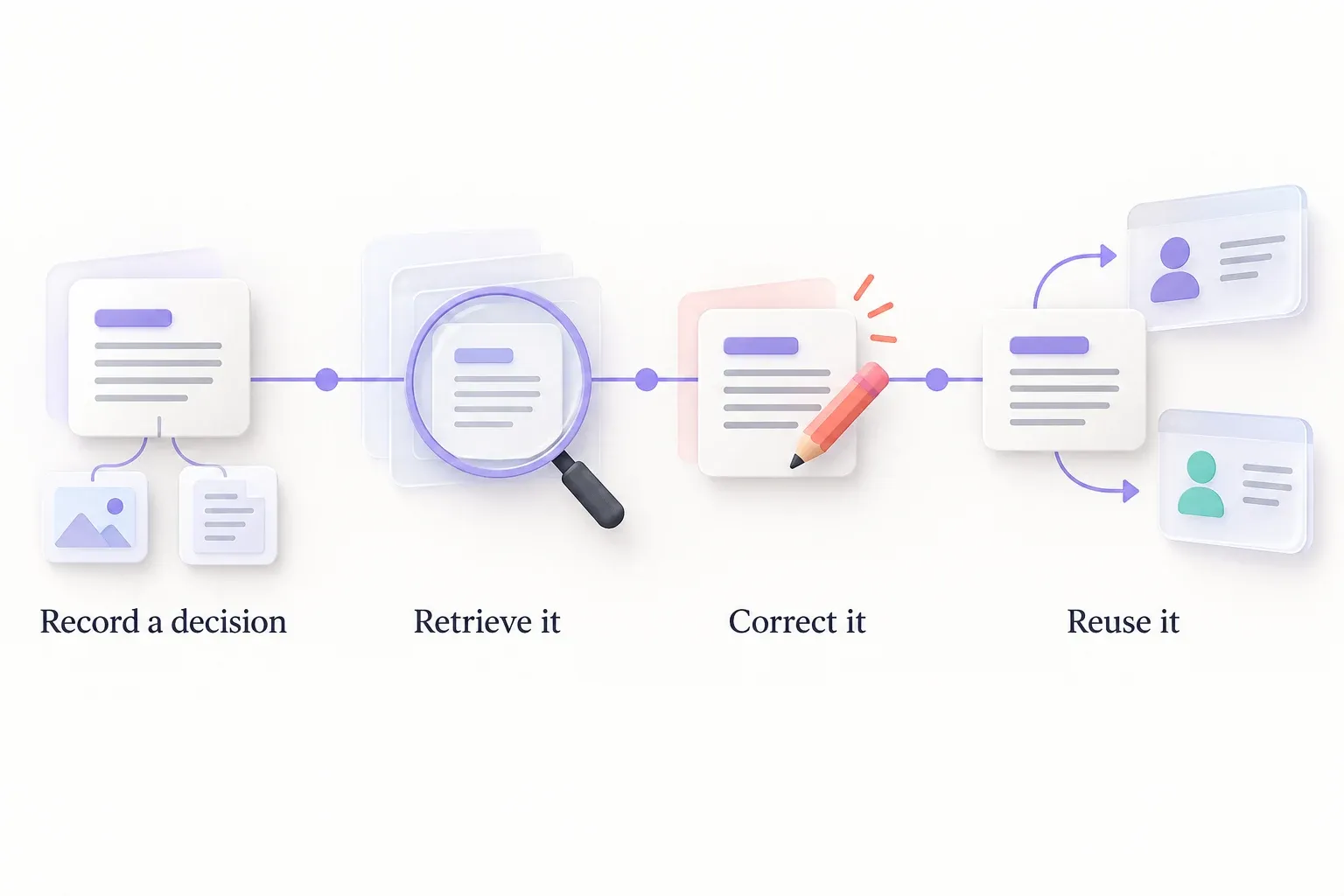
The most useful pilot is not "Can an assistant remember a fact?" It is "Can several people and tools work from the same correct, maintainable project context?" Pick one active workflow, such as code review or support handoff, and test the full path:
- Choose a decision that is easy to get wrong. Include its rationale and the work objects that explain it, rather than storing a short conclusion without context.
- Find it from more than one tool. Check whether the AI clients your team actually uses can access the relevant library through their MCP connections.
- Have a teammate inspect and correct it. A shared memory system should support human review when facts change or a saved interpretation is incomplete.
- Try a real follow-up task. Ask a different teammate to continue the work without pasting the original background into their prompt. Review the answer against the underlying sources.
- Check deployment and licensing separately. Confirm the repository, license, documentation, and self-hosting requirements for the version you would adopt.
This test keeps the decision grounded in your workflow. If the team gets better continuity but cannot tell where an answer came from or how to fix a stale record, the library needs more work before it becomes a dependable source of context. The broader case for giving agents shared context is covered in context engineering for AI agents.
For teams searching for an open source AI project, Streamient is worth evaluating when the missing piece is shared memory across AI tools, not a new model. Start with one workflow, verify the current source and license, and judge it by whether teammates can find, trust, and correct the context their assistants use.
To choose a starting point, compare Streamient’s features with your workflow and review current Cloud plans. Teams working from a terminal or Markdown vault can also explore the CLI and Obsidian workflow.